
Month-end correction files
Finance or operations teams copy Snowflake rows into spreadsheets so someone can fix values, add notes, and route approval.
EntryLayer runs entirely inside your Snowflake account — your rows, your policies, your audit trail. No data leaves, and there is no new vendor for your security team to review. Turn exception queues and correction spreadsheets into governed workflows in an afternoon.
Product walkthrough
EntryLayer is designed so the provider never has access to your data — application state lives in your account and source reads use your grants.
Where teams feel it first
A spreadsheet, ticket, or side app feels harmless until it becomes the place people approve changes to trusted warehouse data. EntryLayer gives that work a real product surface before the workaround becomes the process.
Finance or operations teams copy Snowflake rows into spreadsheets so someone can fix values, add notes, and route approval.
Data teams receive Slack messages or tickets asking for small row changes that still need review, context, and accountability.
Operations teams need a safe place to inspect and edit codes, owners, providers, vendors, or categories before downstream systems trust the update.
Rows that fail validation need an owner, a decision, and a record of what happened instead of a side file nobody audits later.
Actual product screens
The product is not just a form concept. These are the everyday surfaces for finding work, opening records, and reviewing changes without exporting the process.
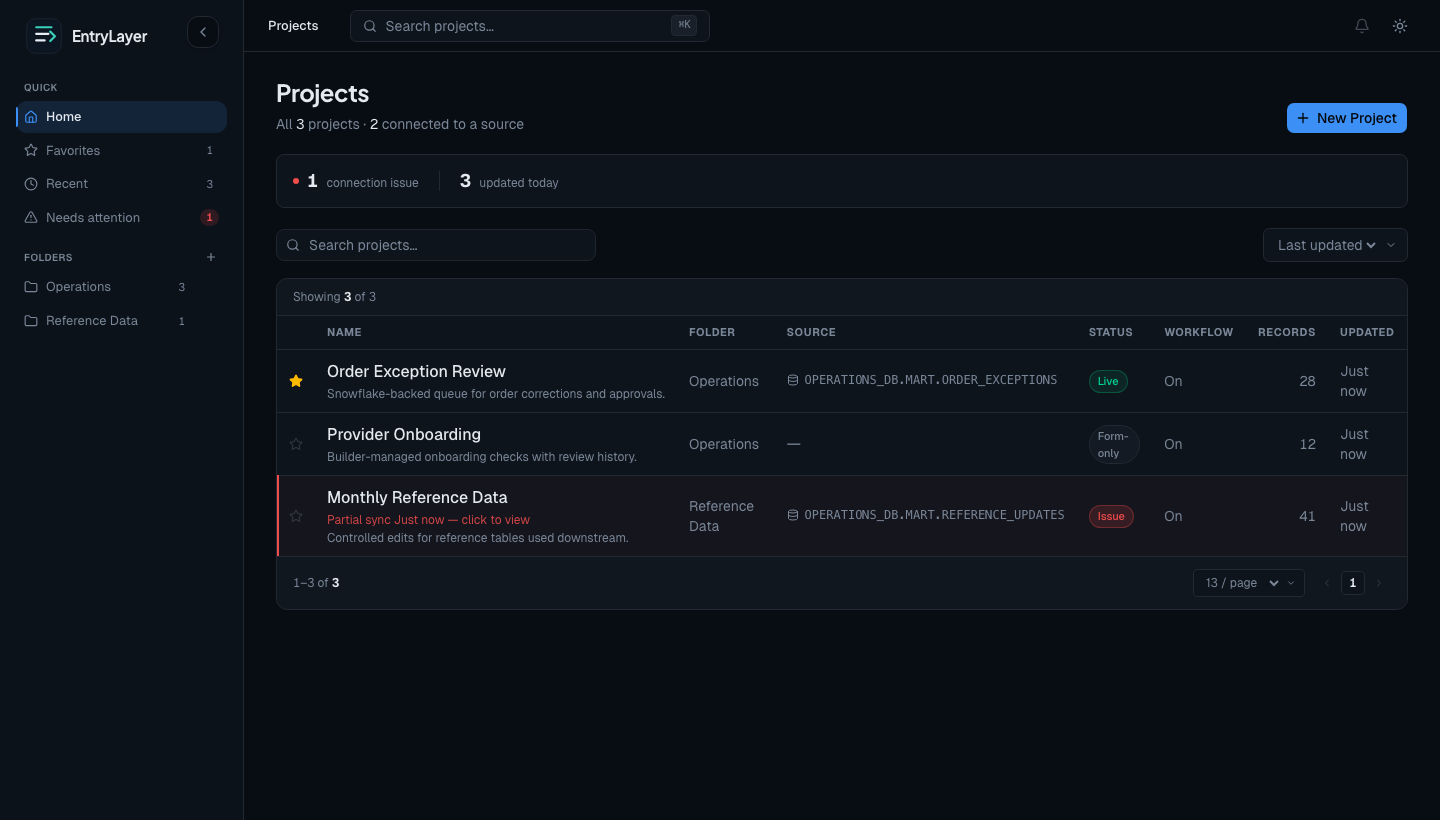
See active projects, folders, favorites, and recent work in one workspace.
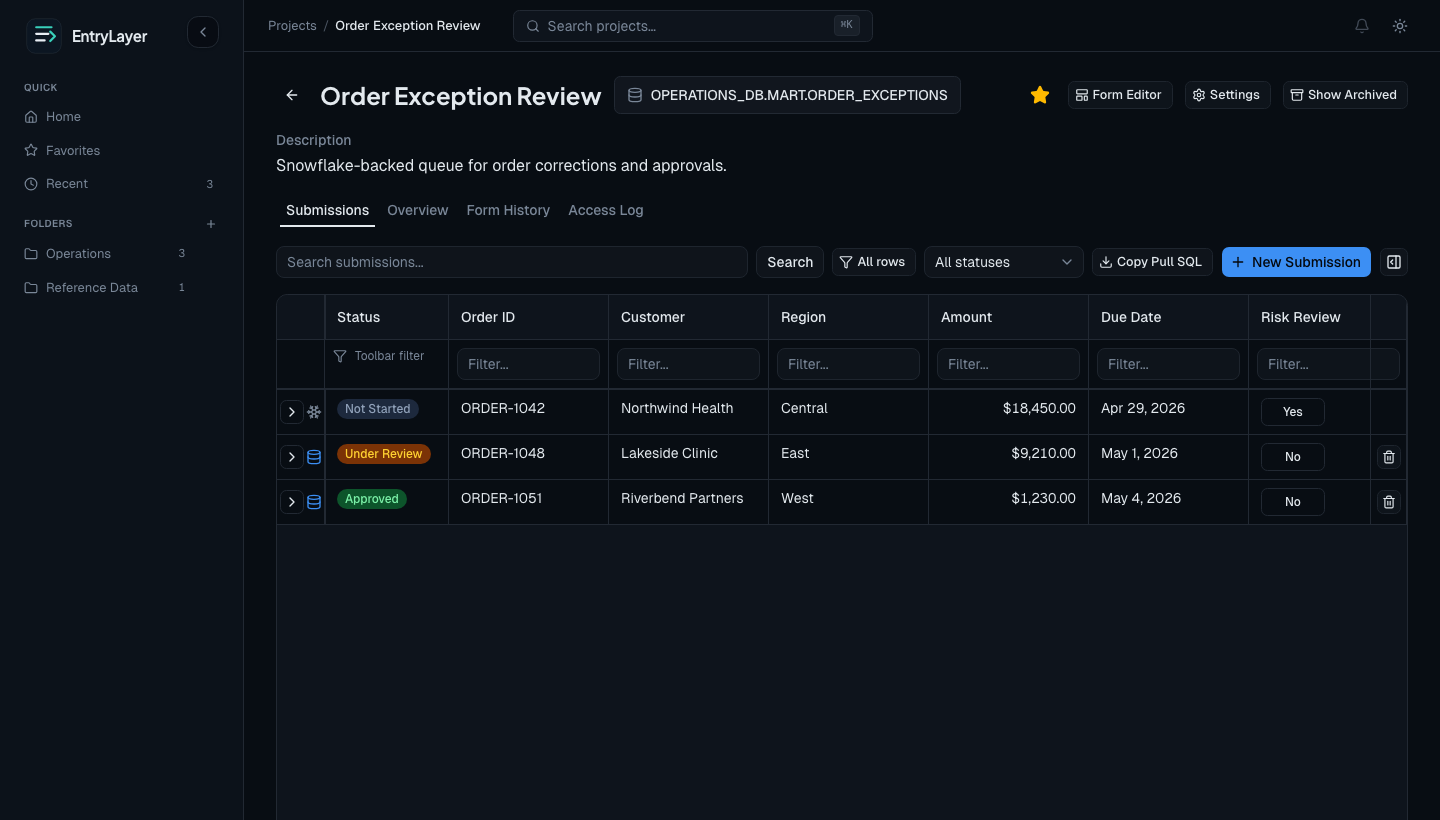
Browse source rows and local records, open the detail drawer, and work rows without losing the queue.
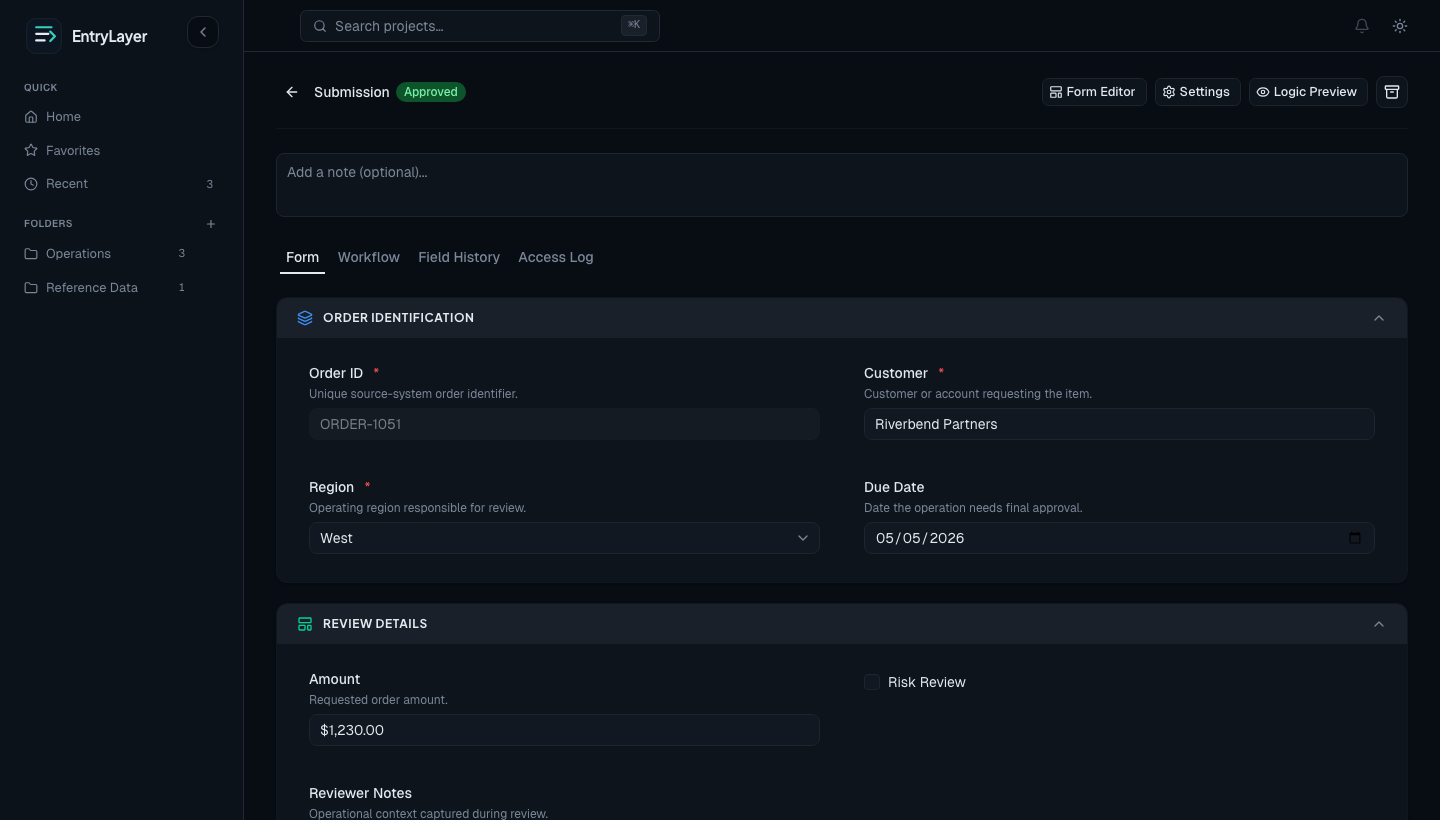
View approvals, field history, access logs, logic behavior, and related child records on a single record page.
Who this is for
EntryLayer is for data, platform, and operations teams routing Snowflake-backed work through files, email, tickets, Streamlit apps, Retool screens, or custom tools that were never meant to own the process.
Example workflow
Start with a row that needs a person, then keep the correction, decision, and downstream handoff inside the customer Snowflake account.
A Snowflake row needs correction or review, but no one exports the table.
The assignee opens the EntryLayer queue, edits allowed fields, adds context, and submits.
Status, comments, field history, and access activity become part of the record.
Approved data can be queried or extracted from inside the customer Snowflake account.
Streamlit, CoCo, and EntryLayer
Snowflake CoCo and Streamlit are a strong path when a team needs a custom Snowflake app, dashboard, or bespoke Python experience. But for table-based entry, review, updates, and approvals, the first build is only part of the work.
A custom Streamlit app still needs the right production location, testing, access behavior, validation, logging, user feedback, and long-term ownership. EntryLayer packages that workflow pattern into projects: builders can create forms and queues, configure permissions and validation, share the project, and keep change history without turning every table workflow into a custom app lifecycle.
Best for bespoke Snowflake apps
Use CoCo and Streamlit when the team needs custom Python logic, dashboards, graphs, or a purpose-built experience that should be owned like software.
Best for repeatable data-entry workflows
Use EntryLayer when the work is table-based entry, updates, review, approvals, validation, access controls, logs, and lower-maintenance form changes.
For security reviewers
EntryLayer is built as a Snowflake Native App on SPCS. Application state lives in Hybrid Tables, source reads use caller-backed access where Snowflake supports it, and normal product use does not require an external analytics or hosted data tier.
The Native App runs on Snowpark Container Services, with app state in Snowflake Hybrid Tables.
For supported consumer-owned data, source reads use the signed-in user context so Snowflake policies remain in force.
Normal product use does not require shipping customer records to vendor analytics or a hosted application database.
Why this exists
EntryLayer comes from practical data engineering work where trusted warehouse data still needed safer interfaces for entry, review, correction, and approval. The product is shaped by the gap between analytical data platforms and the human work teams still route through files, tickets, and side tools.
The gap EntryLayer closes
Most teams eventually need someone to review a row, correct a value, approve a change, add context, or work a related child record. Without a real interface, that work drifts into spreadsheets and side tools.
Evaluate EntryLayer
Talk through a real workflow, review the security posture, or check pricing before you install. The product is built for teams that need operational data entry, record edits, and review history inside Snowflake.
Evaluating on your own? Start with the pilot kit, the security overview, or pricing.