
Exception review
Turn warehouse-backed exception rows into a queue where operators correct values, add notes, and reviewers approve the outcome.
Features
EntryLayer gives teams a controlled place to correct rows, review changes, collect related records, and keep the history that spreadsheets and side apps usually lose.
Workflow examples
Find the spreadsheet, email chain, ticket queue, or side app that is carrying decisions about Snowflake data, then move that work into a controlled EntryLayer space.
Turn warehouse-backed exception rows into a queue where operators correct values, add notes, and reviewers approve the outcome.
Let authorized users request and review updates to values that downstream models, dashboards, and systems depend on.
Collect structured records, attach review status, and keep child checks or follow-up tasks connected to the parent record.
Replace ad hoc spreadsheet edits with a controlled process for proposed changes, approvals, and downstream extraction.
Give operations teams an interface for reviewing, correcting, and documenting changes to important operational records.
Capture work requests, clinical or finance intake, and operational follow-up without sending source context outside Snowflake.
Form generation
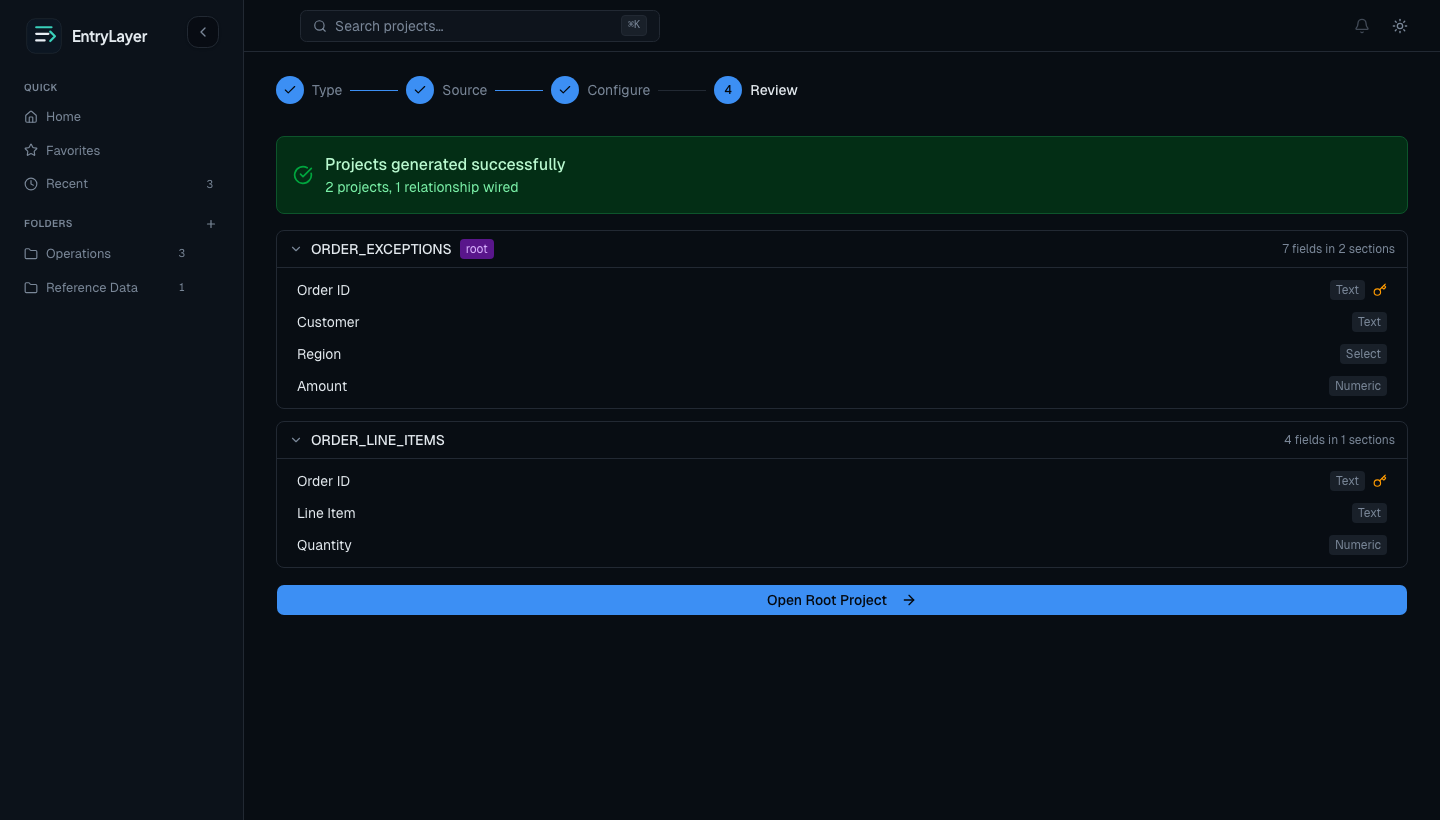
EntryLayer uses source metadata such as columns, keys, relationships, types, and comments to generate form sections, fields, dropdown structure, and layout. Builders refine the result instead of starting from a blank canvas.
Column types, key metadata, and source comments shape the form fields, dropdown structure, and sections automatically.
Start from a Snowflake table, import a CSV or Excel file, or create an empty form from scratch.
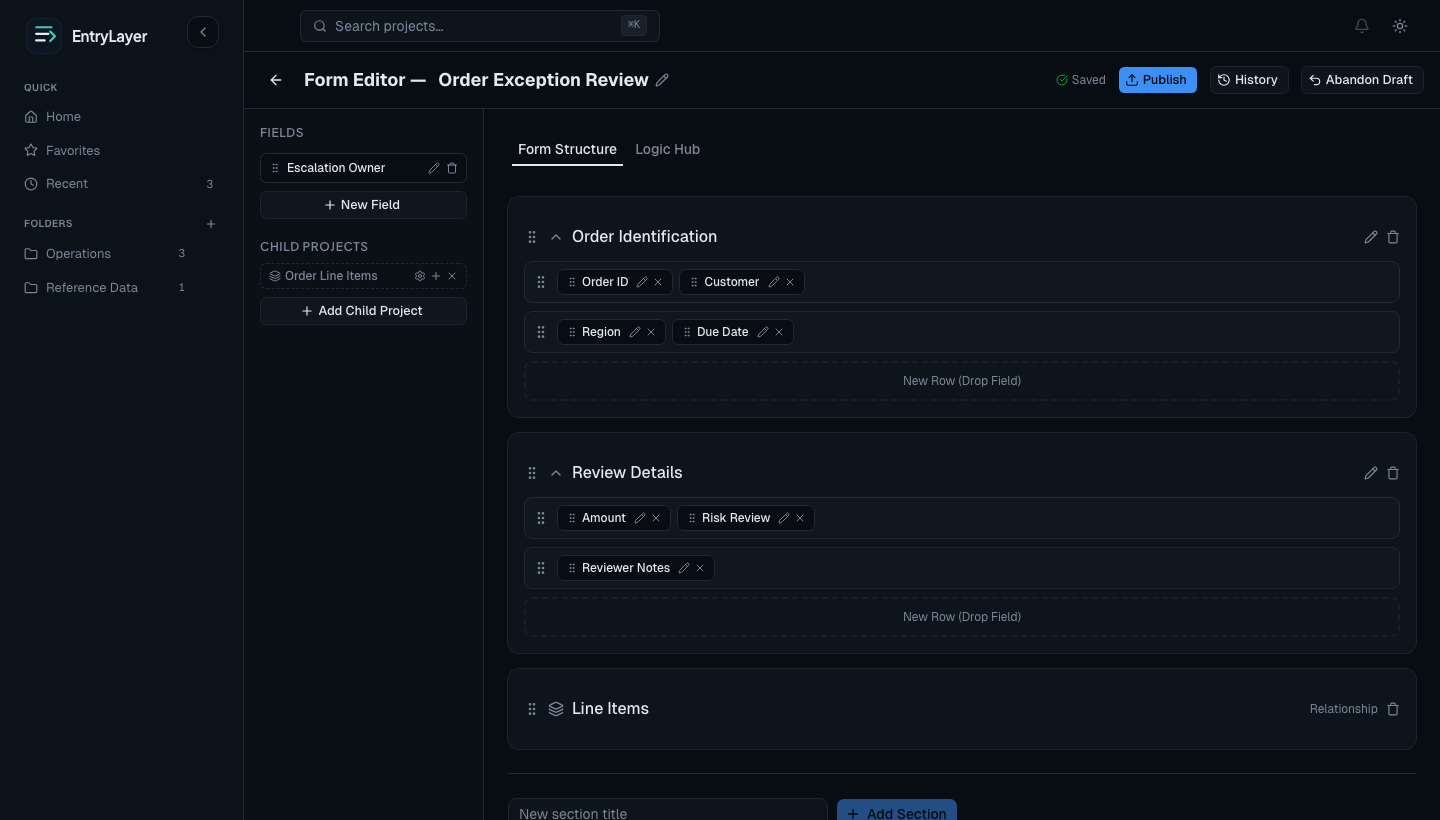
Form editor
Organize fields into sections and rows, set field types and dropdowns, and publish changes through a draft workflow. No code required.
Review workflows
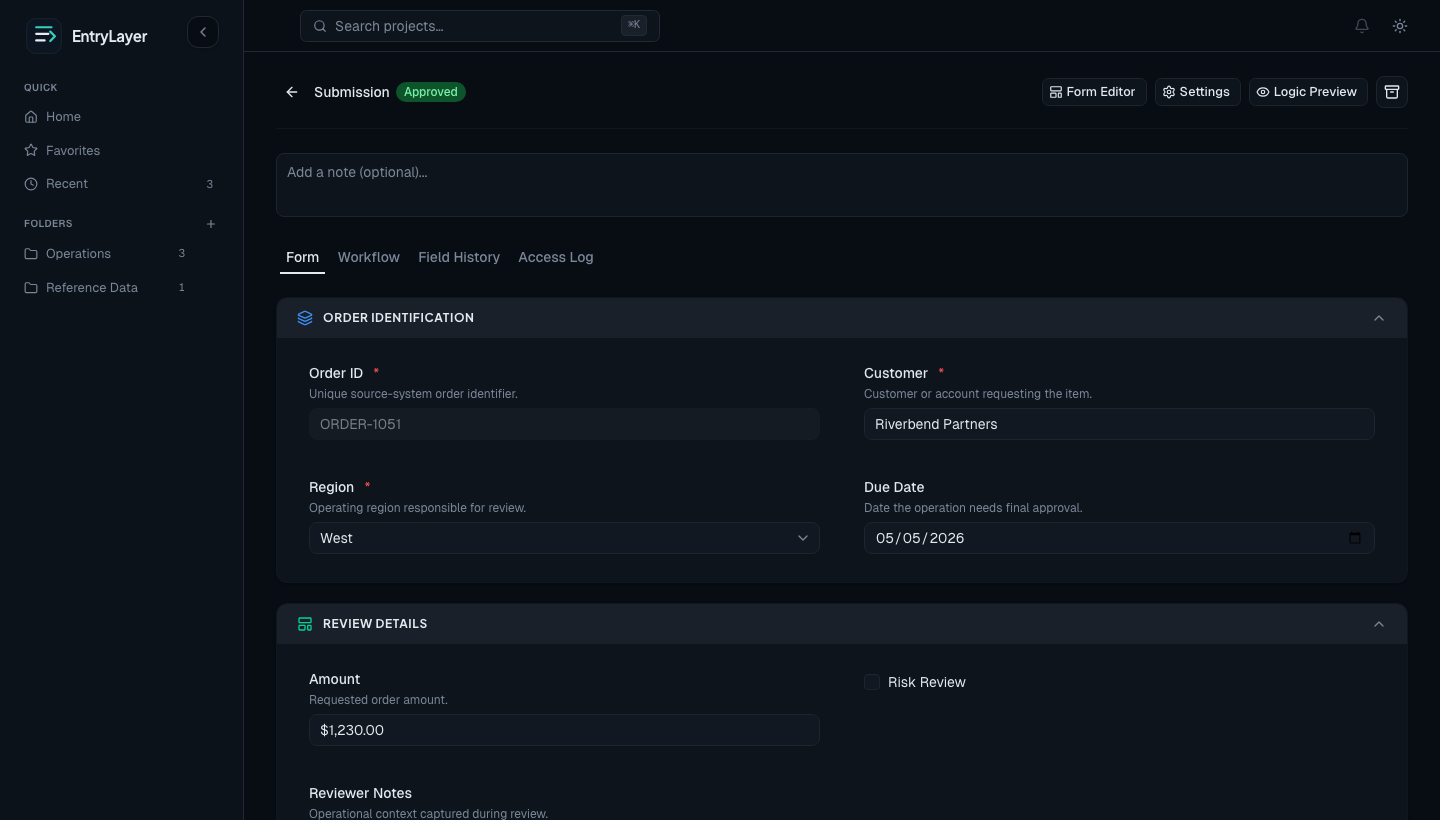
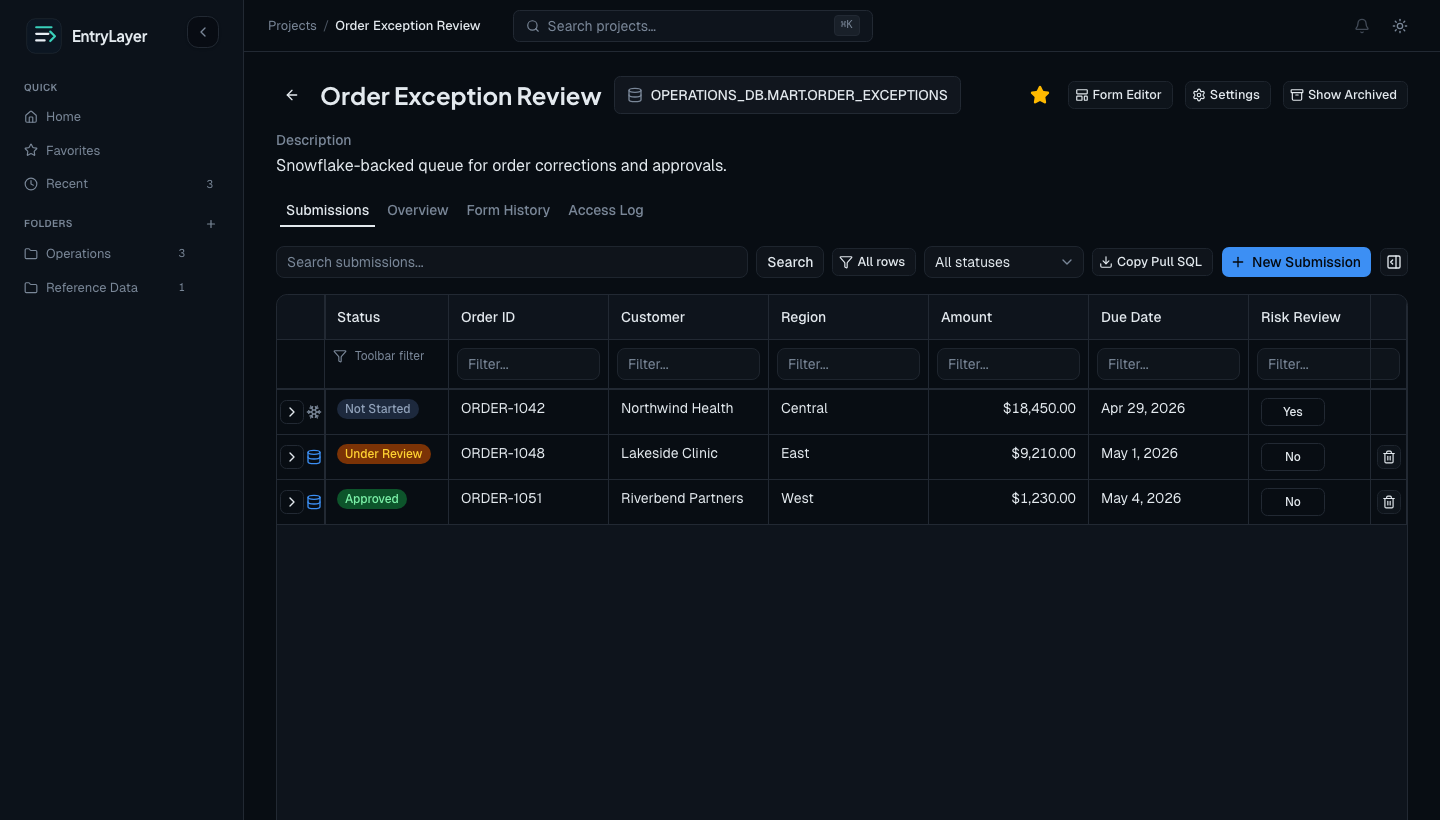
Virtual submissions
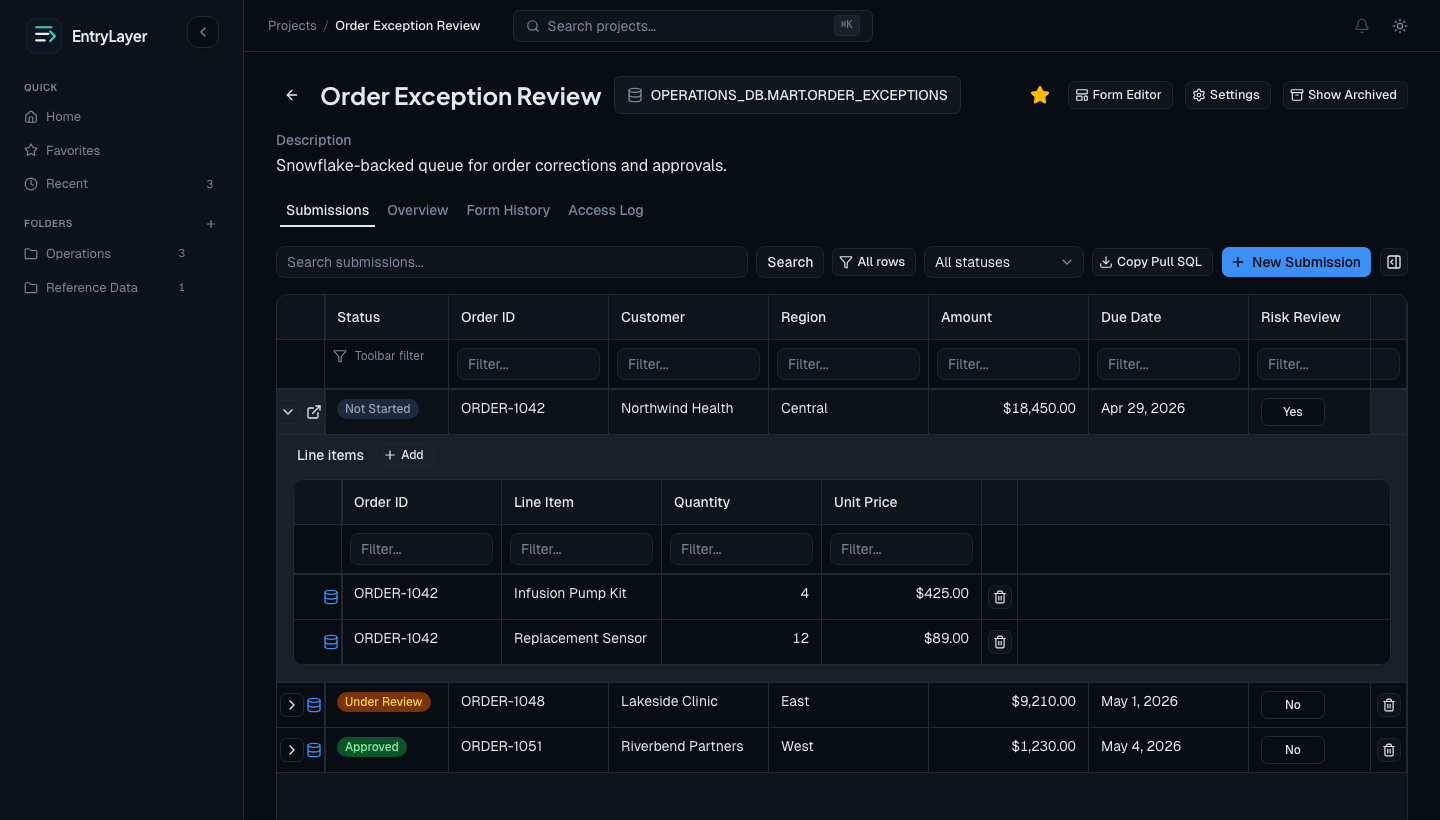
When a project is connected to a Snowflake source, existing rows can appear as virtual submissions. Local workflow state is created when an allowed user starts work on a record.
Validation and logic
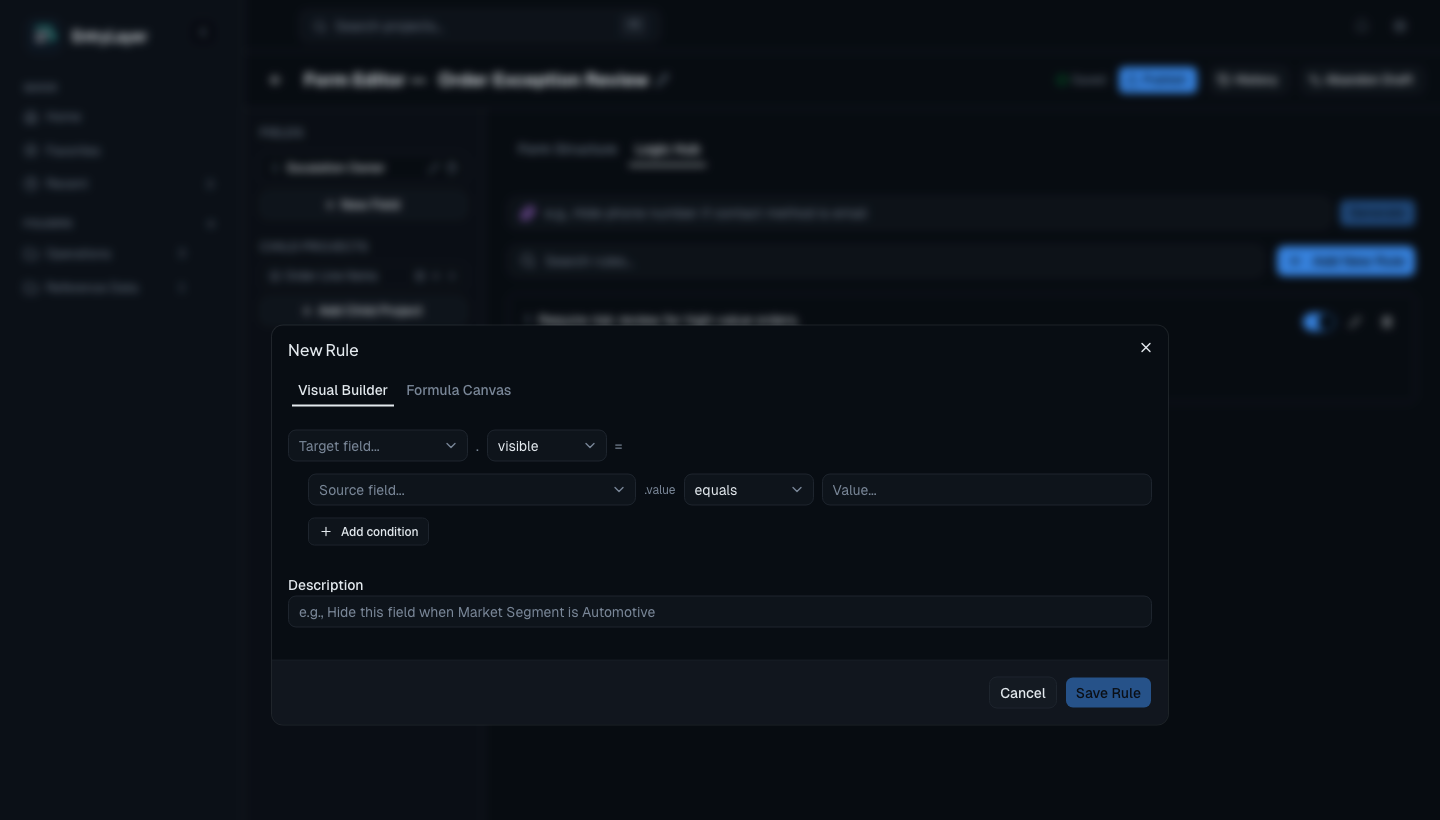
Use the visual rule builder or formula canvas to control field visibility, enabled state, and required validation based on other field values.
Child projects
Real operational work rarely fits a single flat row. EntryLayer lets builders link related projects so child records appear inside the parent context with join keys keeping the relationship legible.
SQL API, Cortex, and MCP
EntryLayer includes an admin-only SQL API for creating projects, editing drafts, configuring form design, managing access, and inspecting operational state from Snowsight or Cortex. A Snowflake-managed MCP server exposes the same controlled API path for compatible clients.
AI boundary
AI-assisted features are designed around metadata, field titles, field types, relationships, and the builder's own instructions. Source row values, submission values, secrets, and credentials should not be included in Cortex prompts.
What makes it different
Queries run as the signed-in user. Masking policies, row-level access, and role hierarchy stay in effect.
Field-level change history, access logs, and workflow actions are recorded automatically and queryable.
Use the installed app extract procedure and your own SQL to persist approved workflow data downstream.
Cortex uses metadata and builder instructions to suggest forms and rules, while you keep full control over the final structure.
Alternatives
EntryLayer is intentionally narrower than a general internal-tool platform. That is the point: it focuses on Snowflake data entry, review, and operational history.
Fast to start, fragile to operate
Useful for quick collection, but workflow state, row-level access, masking, audit history, and controlled extraction become separate cleanup projects.
Broad internal-tool builders
Great for many app patterns, but they sit outside the Snowflake Native App boundary and require a separate operational trust story.
Excellent for custom Snowflake apps
CoCo and Streamlit are strong for custom Python apps, dashboards, and visual analytics. EntryLayer is purpose-built for repeatable table-based entry, review, approvals, logs, and validation.
Purpose-built for Snowflake data entry
EntryLayer keeps the interface close to Snowflake, generates the starting point, and records the history teams need to inspect later.
Next step
Install through Snowflake Marketplace, configure the admin seat, and create a form from your own tables in minutes.