
Snowflake Integration
EntryLayer is designed to work as a Snowflake-native operational layer. Instead of copying data out and rebuilding separate tooling around it, the product lets teams create data entry and review workspaces directly from Snowflake data.
When to use this guide
Section titled “When to use this guide”Use this guide when you need to:
- grant source access for project creation
- explain Restricted Caller Rights
- understand shared/imported database limitations
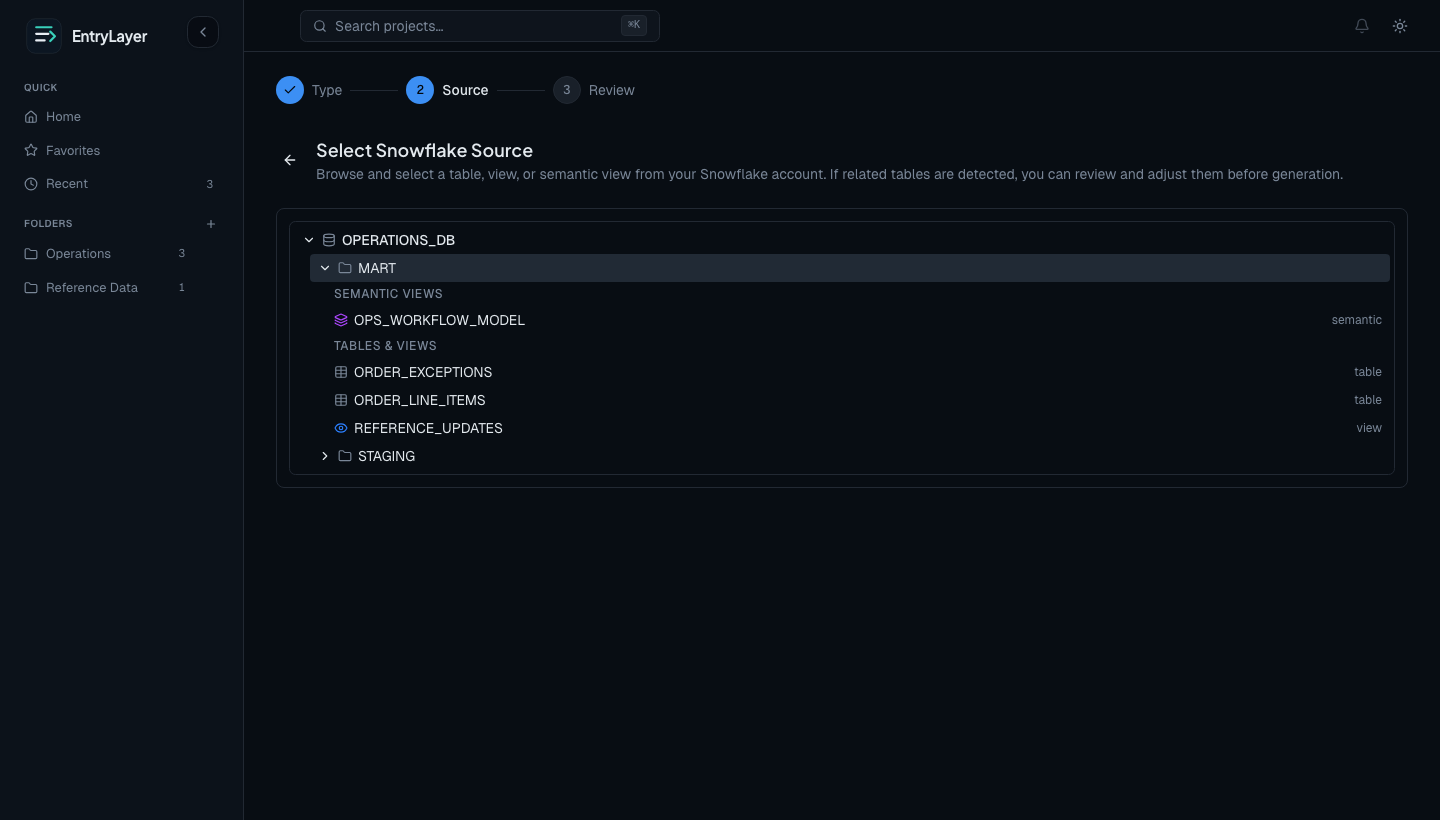
- create source-connected projects
- use pull-based extracts
- review Cortex and zero-access boundaries
Native connection model
Section titled “Native connection model”In Native App mode, EntryLayer runs inside the customer Snowflake account.
Normal product use does not depend on:
- separate end-user database credentials
- a disconnected web app identity model
- bulk-copying every source row into app storage first
- provider-owned external egress for source access
Source-connected projects
Section titled “Source-connected projects”When a builder creates a project from Snowflake, EntryLayer stores a source binding that records:
- which Snowflake object the project points at
- how source columns map into EntryLayer fields
- which source should be used for virtual row rendering and later materialization
This lets a project stay connected to Snowflake instead of becoming a one-time import.
Restricted Caller Rights
Section titled “Restricted Caller Rights”For consumer-owned data, EntryLayer uses Restricted Caller Rights where Snowflake supports it.
Required grants commonly include:
GRANT CALLER USAGE ON DATABASE MY_DATABASE TO APPLICATION ENTRYLAYER;GRANT INHERITED CALLER USAGE ON ALL SCHEMAS IN DATABASE MY_DATABASE TO APPLICATION ENTRYLAYER;GRANT INHERITED CALLER REFERENCES, SELECT ON ALL TABLES IN DATABASE MY_DATABASE TO APPLICATION ENTRYLAYER;GRANT INHERITED CALLER REFERENCES, SELECT ON ALL VIEWS IN DATABASE MY_DATABASE TO APPLICATION ENTRYLAYER;GRANT INHERITED CALLER REFERENCES, SELECT ON ALL SEMANTIC VIEWS IN DATABASE MY_DATABASE TO APPLICATION ENTRYLAYER;Replace ENTRYLAYER with the installed app name if it differs.
Supported source objects
Section titled “Supported source objects”| Source type | Setup behavior |
|---|---|
| Tables | Metadata describes columns, types, nullability, comments, and key/default metadata where available. |
| Views | Metadata describes view columns without sampling view result rows during setup. |
| Semantic views | Metadata can describe dimensions, facts, metrics, derived metrics, and comments where available. |
See Source Objects & Semantic Views for exact source metadata behavior.
What end users experience
Section titled “What end users experience”On caller-rights-supported sources:
- Object Explorer reflects the signed-in user’s Snowflake access
- project queues only show rows the current user can access
- masking policies shape the values rendered in the app
- row access policies can make queues differ by user
Shared and imported databases
Section titled “Shared and imported databases”Shared and imported databases do not support caller grants in the same way as consumer-owned sources.
Because EntryLayer’s source-read security model depends on Restricted Caller Rights, shared and imported database sources are blocked by default in the Marketplace posture.
For those sources:
- EntryLayer does not silently fall back to service-level access
- per-user Snowflake RBAC, row access, and masking cannot be preserved through caller grants
- admins should use consumer-owned tables or views for source-backed projects
Application data vs source data
Section titled “Application data vs source data”| Data | Location |
|---|---|
| Source business data | Customer-owned Snowflake objects. |
| EntryLayer application state | Snowflake Hybrid Tables inside the installed app namespace. |
| Virtual rows | Source-backed until materialized. |
| Materialized submissions | App-managed Hybrid Table state. |
Pull-based extracts
Section titled “Pull-based extracts”EntryLayer does not use direct push/write-back into customer-owned tables as the supported product flow.
Use the installed app extract table function instead:
SELECT *FROM TABLE(ENTRYLAYER.API.EXTRACT_PROJECT_SUBMISSIONS(<project_id>));Persist the result in your own SQL with CREATE TABLE AS SELECT or INSERT INTO ... SELECT.
Cortex usage
Section titled “Cortex usage”EntryLayer uses Snowflake Cortex for supported AI-assisted features such as form generation and rule assistance.
Do not include PII, secrets, source row values, or submission values in prompts. See Cortex & AI Boundary.
Diagnostics
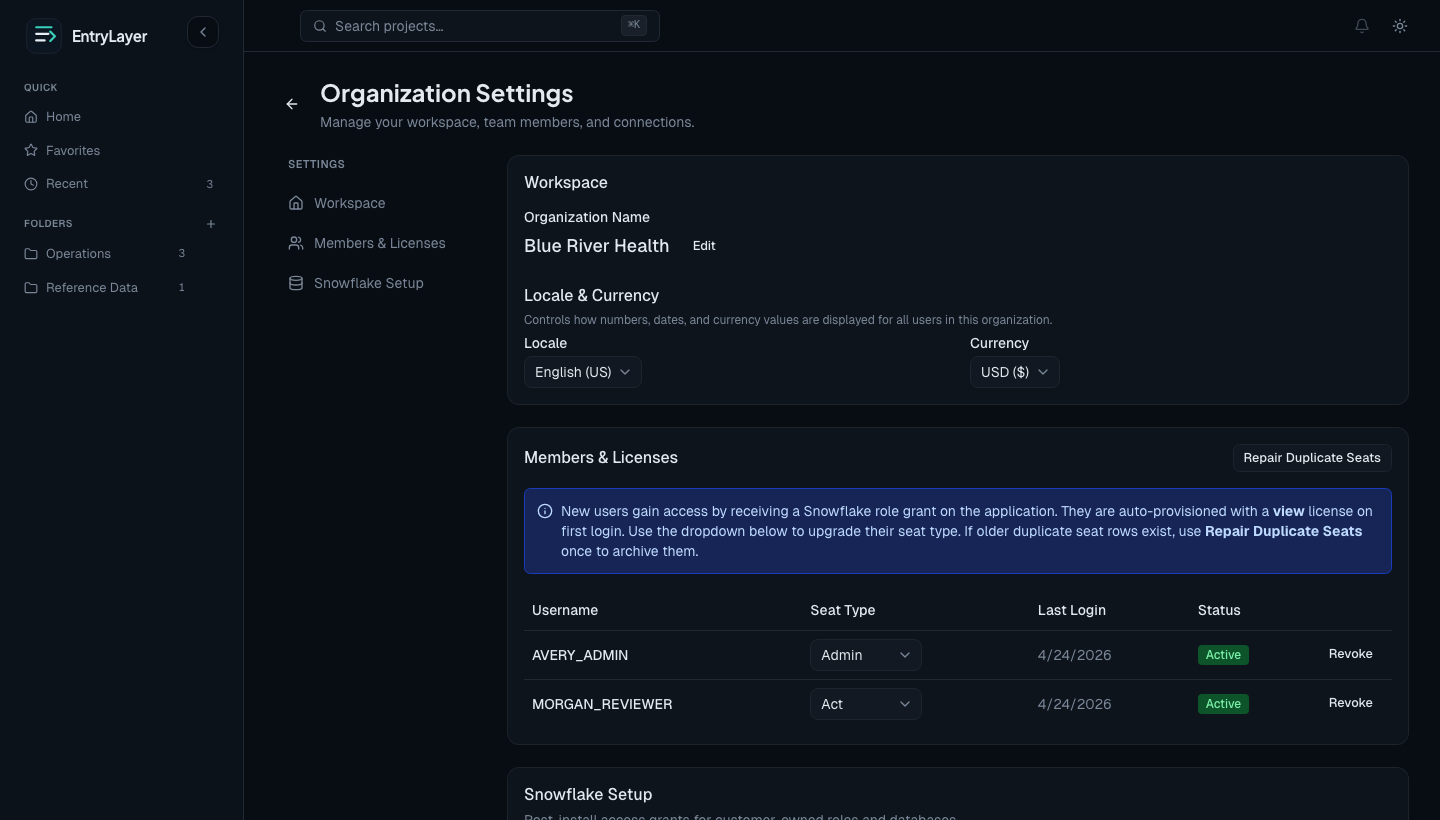
Section titled “Diagnostics”Org admins can open Org Settings -> Data Access Setup to review:
- whether app access is configured
- whether caller grants appear to be in place
- whether a configured source is missing, renamed, or inaccessible
- whether policy posture is likely to behave correctly
Practical admin flow
Section titled “Practical admin flow”- Grant app roles to the Snowflake roles users will use.
- Grant caller rights on consumer-owned source databases.
- Create a source-connected project from Snowflake.
- Confirm visibility and masking behavior with a real user.
- Use diagnostics when source access behaves unexpectedly.